


Belkin Connect USB-C 11-in-1 Multiport Dock Laptop Stand
Eligibility: Students, Faculty/Staff & Schools
Belkin Connect 11-in-1 Multiport Docking Station Laptop Stand – Premium Multi-Display Workspace Riser
Optimize your mobile workstation layout velocity and eliminate laptop thermal throttling bottlenecks during intensive multi-window work blocks with the advanced, integrated architecture of the Belkin Connect 11-in-1 Multiport Dock Laptop Stand. This professional-grade desktop connectivity terminal serves as an uncompromised static asset for high-density school district computing laboratories, university digital design suites, and active campus administrative office desks. Operating over a specialized multi-port data routing matrix that maps a massive 11-port connectivity array directly into an ergonomic laptop support riser, this highly responsive docking station delivers immediate monitor initialization, stutter-free peripheral device tracking, and an exceptionally stable system routing baseline the exact millisecond you click its USB-C link home. This specialized workspace component completely eliminates the traditional heap of separate laptop stands, trailing multi-cable wire tangles, flickering screen signal drops, and lagging file transfer trails traditionally causing technology coordinator deployment headaches during multi-user laboratory setups. This means student operators, virtual instructors, and technology procurement directors can completely maximize physical table real estate, scale desktop visual canvases smoothly across multiple high-definition monitors concurrently, and maintain clean infrastructure focus long before morning project synchronization windows clear.

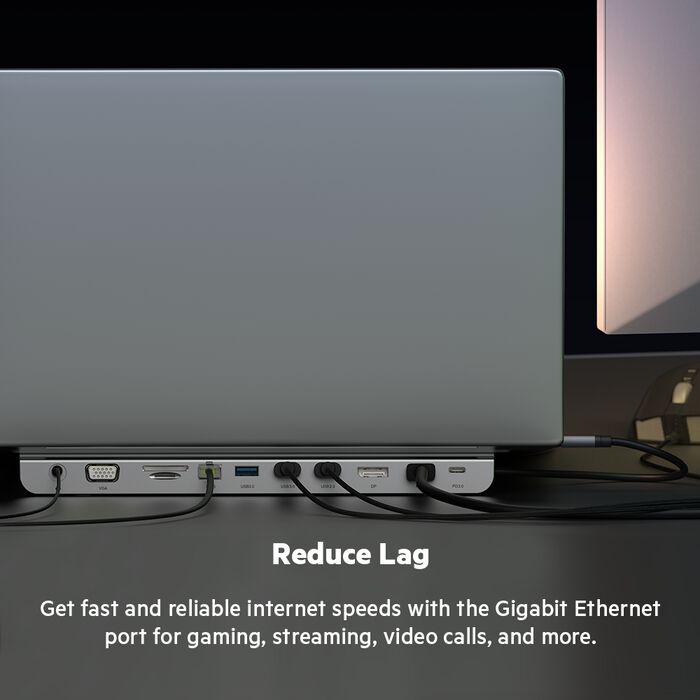
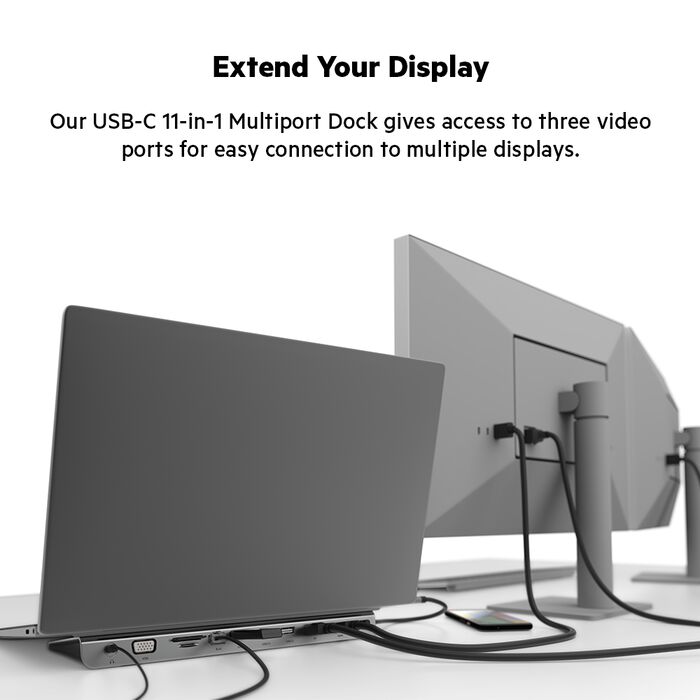
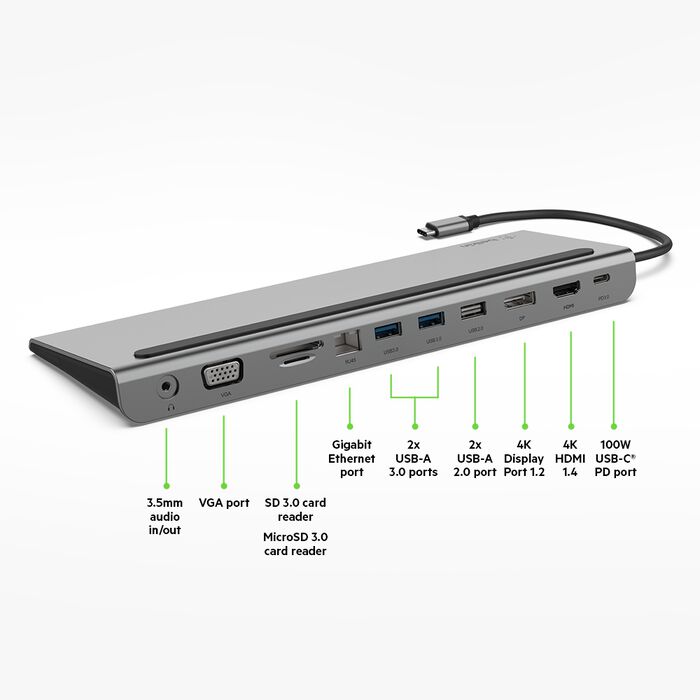
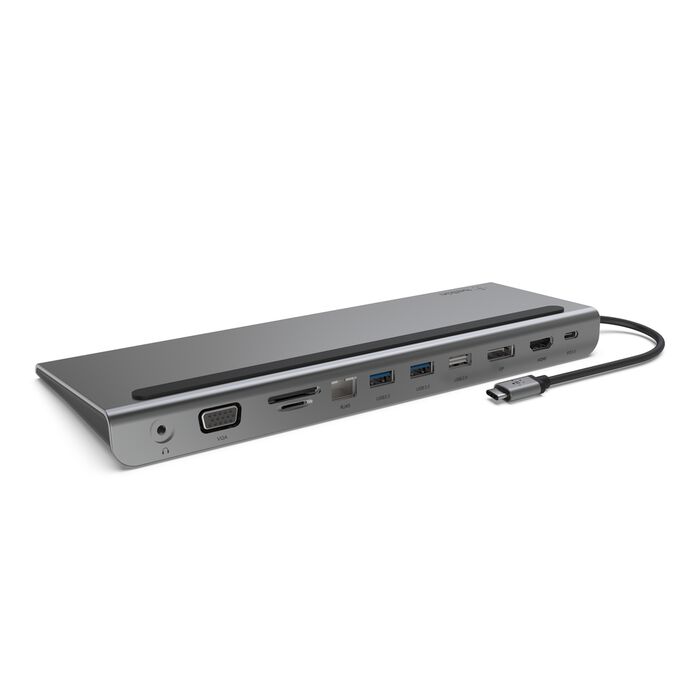
Built specifically to handle relentless physical strain and multi-user tracking wear under absolute institutional operational demands, this docking stand integrates an advanced structural design profile focusing on a premium, heavy-duty aluminum alloy wedge chassis frame packed with rubberized anti-slip baseline stabilization pads and specialized open-air airflow ventilation pathways. This practical structural build quality ensures a stable, scratch-resistant baseline matching clean modern desk configurations seamlessly, actively prevents internal heat accumulation loops by elevating your laptop base panel cleanly off the table surface, and secures total multi-year equipment usability assets across your school network infrastructure.
System data routing velocity, hyper-clear communication speed, and multi-platform platform software interaction compatibility are driven by a high-efficiency hardware core, focusing on an integrated high-velocity hub containing dual HDMI 2.0 terminals, a DisplayPort 1.2 channel, an advanced VGA legacy port, a hardwired RJ45 Gigabit Ethernet terminal port, multiple high-velocity USB-A peripheral lines, a dedicated 100W USB-C Power Delivery pass-through input slot, and an integrated SD/Micro SD media card reader setup. This substantial data pipeline allows the dock to ingest heavy multi-channel media tracks, run zero-packet-loss network routing clearances, and pass system asset tag streams natively on the hardware layer with absolute input composure. This synchronized workspace environmental deck allows broadcasting students, digital graphic layout designers, and student software developers to automate coding pipelines, access flash memory cards instantly, and manage extensive high-resolution visual canvases side-by-side with absolute posture comfort. The low-profile architectural wedge riser slips seamlessly under your laptop chassis base to act as an ergonomic typing riser without obscuring active visual canvas boundaries, while the smart physical assembly ensures your fleet deployment setup and rapid classroom staging steps come much easier.
Key Features include:- 📐 Ergonomic Dual-Purpose Laptop Stand Riser: Space-saving wedge chassis layout engineered to sit flush beneath your laptop base, doubling as an ergonomic typing riser to maximize physical desk real estate.
- 🖥️ Multi-Display Video Staging Matrix: Advanced multi-display processing configuration supporting uncompressed dual-monitor visual extensions via built-in HDMI, DisplayPort, and legacy VGA output slots.
- 🔌 Massive 100W Power Delivery Pass-Through Slot: Next-generation dedicated USB-C power lane designed to pass up to 85W of active charging power straight to your laptop host while fueling the dock's ports.
- 🗂️ Comprehensive 11-Port Control Hub: Advanced connectivity expansion matrix packing dual HDMI slots, DisplayPort, VGA, multiple USB-A ports, SD/Micro SD slots, Gigabit LAN, and an analog audio input/output jack.
- 📡 Secure Gigabit Ethernet Hardware Network Port: Hardwired RJ45 LAN connector pipeline engineered to guarantee stable, zero-packet-loss network data routing clearances during intense server cross-transfers.
- 📸 Dual Integrated SD and Micro SD Card Readers: Low-profile card slots mounted directly on the casing perimeter to handle rapid file ingest workflows from digital video cameras and tracking sensors cleanly.
- 🛡️ Heavy-Duty Space-Saving Aluminum Casing: Ruggedized aluminum enclosure built to dissipate internal structural heat fluidly while keeping a sleek, modern, professional footprint on the workbench.
Specifications:
| Specification | Details |
|---|---|
| Brand | Belkin |
| Model / SKU Configuration | Connect 11-in-1 Multiport Series / INC004BTSGY |
| Device Classification | 11-Port USB-C Multiport Docking Station and Ergonomic Aluminum Laptop Stand Riser Node |
| Connection Interface Core | USB-C Tethered Multistream Transport (MST) Layer (5Gbps Data Routing Bandwidth Processing Loop) |
| Power Delivery Protocol | Supports Up to 100W USB-C Power Delivery Input Pass-Through (Supplies up to 85W continuous power to host computer) |
| Video Output Resolution Matrix | Single Monitor: Up to 4K @ 60Hz / Dual Monitors Concurrently: Up to 1080p @ 60Hz (Via Dual HDMI 2.0 or DisplayPort 1.2 Output Slots) |
| Input/Output Port Configuration | Tethered USB-C Input Cable / 2 x HDMI 2.0, 1 x DisplayPort 1.2, 1 x VGA D-Sub, 1 x USB-C Power Delivery Input, 3 x USB-A 3.2 Gen1 (5Gbps), 1 x SD 3.0 Slot, 1 x Micro SD 3.0 Slot, 1 x RJ45 Gigabit LAN, 1 x 3.5mm Audio In/Out |
| Operating System Compatibility | Universal Driverless Support: Microsoft Windows 10/11, Apple macOS (Supports mirrored dual display over USB-C), ChromeOS Platforms |
| Stand Dimensions | 10.23 x 3.54 x 0.90 Inches (260 x 90 x 23 mm) Compact Desktop Footprint Wedge Configuration |
| Unit Net Weight | Approximately 0.76 lbs (345 grams stable rigid aluminum build structure optimized to counter laptop center-of-gravity forces) |
| Compliance Vetting | RoHS Material Compliant / CE Standard Safety Certified Matrix / FCC Certified / WEEE Compliant |
💡 PRO TIP #1: ACTIVATE HOST LAPTOP CHARGING VIA PREMIUM POWER DELIVERY ADAPTERS! 💡
Our meticulous physical hardware box content audit confirms that while Belkin builds this elite 11-in-1 docking stand with an advanced 100W USB-C Power Delivery pass-through engine slot, a corresponding external wall block power module is completely omitted from the factory retail packaging. The box ships strictly with the central aluminum multiport docking stand riser and an attached, hardwired USB-C host interface cable. Attempting to deploy this docking array without an independent, high-wattage power adapter hooked to the pass-through slot will drop the dock into a bus-powered layout, drawing battery power out of your laptop rather than feeding it. To ensure your host notebook computer receives a full 85W of active operational power while concurrently stabilizing multiple high-speed peripheral lines, we highly recommend matching your checkout with a Premium 100W USB-C Power Delivery (PD) Wall Charger Adapter Block on setup day.
💡 PRO TIP #2: EXPERIENCE WORKSTATION SCREEN TRIUMPHS VIA VETTED HDMI SIGNAL CABLES! 💡
Our thorough physical unboxing audit reveals that while the INC004BTSGY chassis houses dual integrated HDMI 2.0 output ports and a DisplayPort 1.2 terminal to support expansive multi-screen workspace real estate, separate video connection cords to link out to your monitors are entirely left out of the consumer packaging. The retail box ships strictly with the main aluminum docking stand unit. Trying to deploy a multi-display workstation configuration on setup day will be completely stalled if your laboratory workbench or desk space lacks proper digital tethers. We highly recommend adding a pair of Premium HDMI Cables to your checkout. Sourcing dedicated, gold-plated digital connection cords immediately ensures universal plug-and-play matching over your monitor configurations with complete utility system efficiency, entirely dropping frame-flickering artifacts and display data bottlenecks.


